
Your apps lock instantly when your phone is snatched.
Snatch Guard detects the moment someone grabs your phone and shields your banking, messages, photos, and notes — before the thief takes three steps. Face ID required to unlock.
- Free. No ads. No subscriptions.
- No tracking. No network calls.
- All processing on-device.

Thieves don't break in. They grab and run.
They target phones that are already unlocked — open on a café table, in your hand on the street, glowing on a tube seat. The moment it's in their hand, every app you were using is theirs too. Banking. Messaging. Photos. Notes.
Apple's setting only delays password and settings changes. It does nothing to the apps that are already open.
Only kicks in when an app is launched. If the app was already open when snatched, there's no protection.
Five things happen the moment your phone leaves your hand.
-
01
Detects the grab
The built-in accelerometer senses the sudden jerk when someone snatches your phone — calibrated between 2.0G and 6.0G.
-
02
Locks your apps instantly
System-level shields appear over your selected apps within milliseconds. No animation. No delay. No way around.
-
03
Only you can unlock
Face ID or device passcode is required to remove shields. Even if the phone is unlocked, the apps stay shut.
-
04
Works in background
Protection stays active even while you're using other apps. You don't open Snatch Guard — it's already there.
-
05
Tamper resistant
Shields stay active even if the app is force-closed. With Screen Time passcode enabled, Snatch Guard can't be deleted or bypassed.
Armed. Active. Locked out.
Snatch Guard is always in one of three states — and it tells you exactly which.
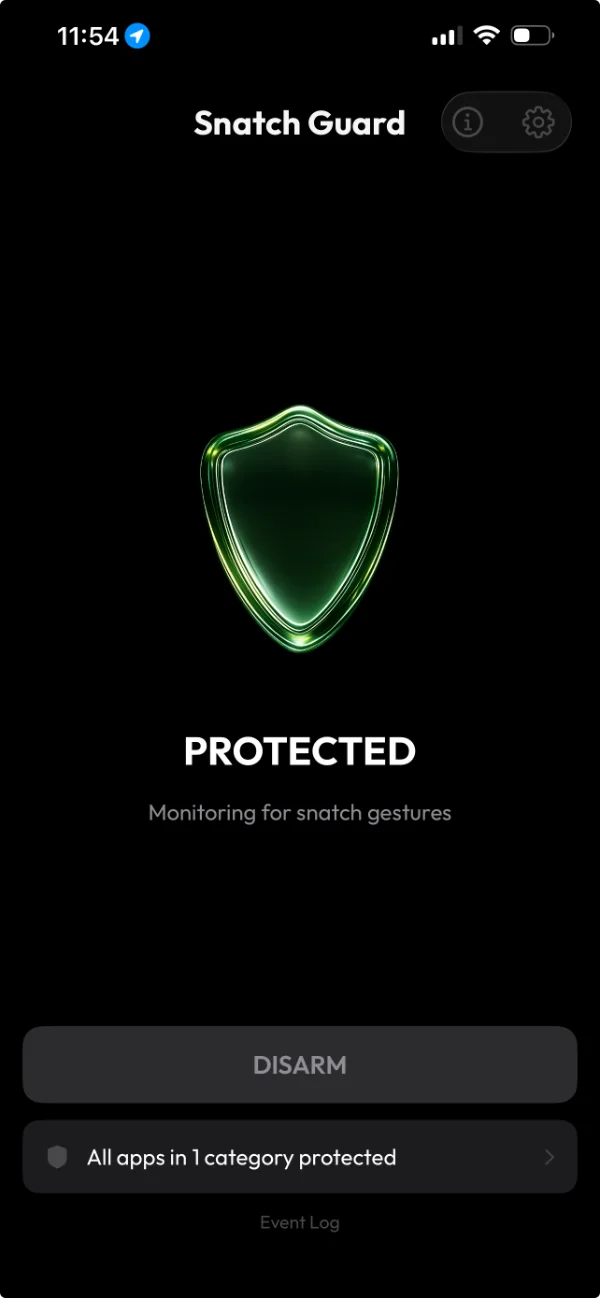
Monitoring for snatch gestures.
Tap once. The shield is on. Snatch Guard listens in the background while you carry on with your life.
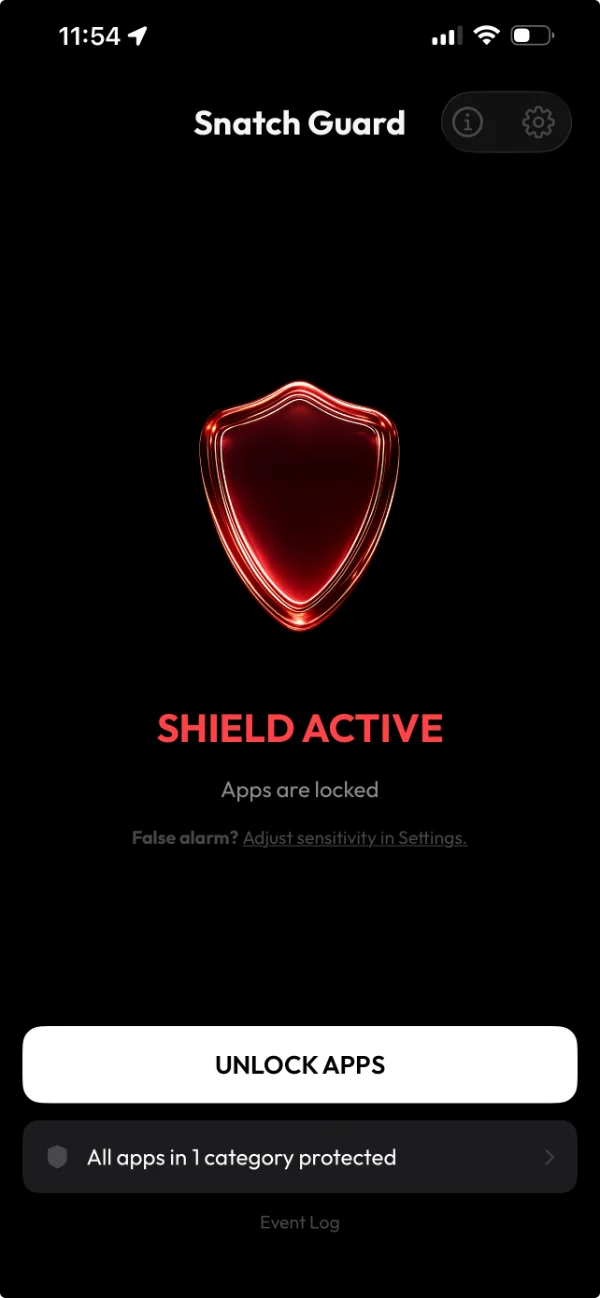
Apps are locked.
A snatch was detected. Every protected app is shut behind a system-level shield. Face ID to remove.
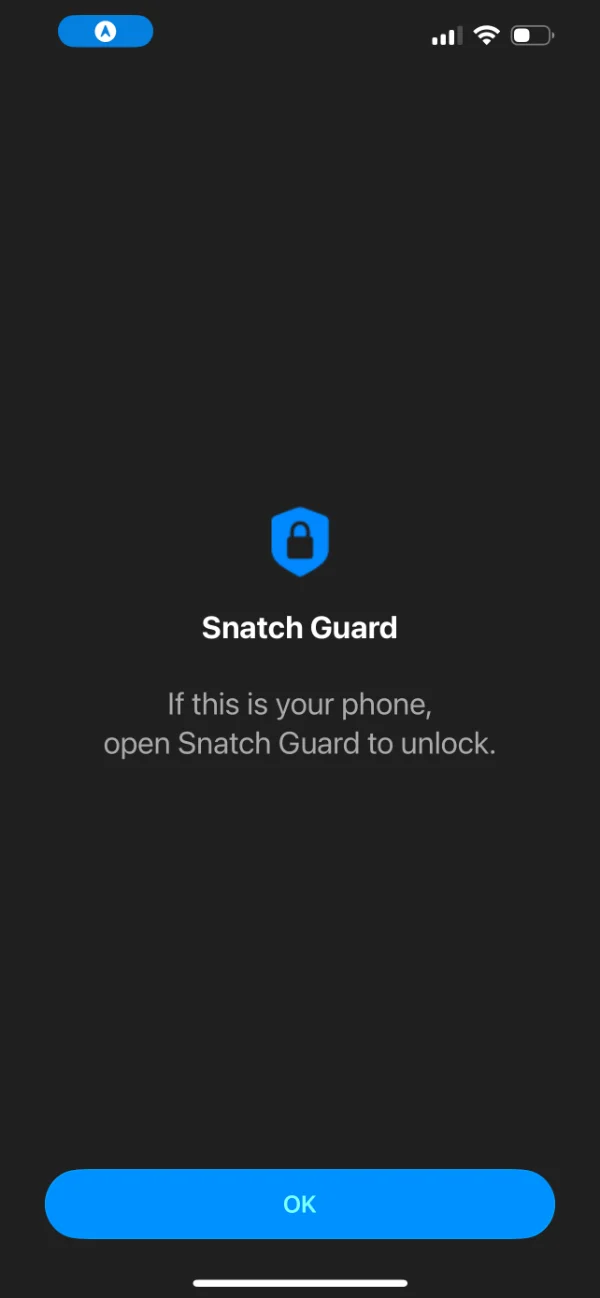
What the thief sees.
The OS shield overlays whichever app they try to open. There's nothing to swipe past.
Everything else assumes the phone is already locked.
Stolen Device Protection only delays password and settings changes. Your banking app is wide open.
Accelerometer detects the jerk, shields apply, Face ID required to unlock.
If the app was already open when snatched, the auth gate has already passed. No re-auth happens.
Apps that were already open get shielded again. The thief can't keep reading what's on screen.
Without a Screen Time passcode, any app is removed in two taps.
With Screen Time passcode set, app deletion is blocked. Shield stays active even if force-closed.
Thief mutes the phone and keeps walking. Your data is still wide open.
No noise. No drama. The apps with your money and messages just stop opening.
Extra device on a keychain. Works, but you have to remember to carry and charge it.
Free. Already in your pocket. No dongle, no charger, no extra thing to lose.
Ran for the bus and the shield went off? 3 seconds.
- 1Open Snatch Guard.
- 2Authenticate with Face ID.
- 3Tap Remove Shield. Done.
Too sensitive for your daily routine? Adjust the threshold anywhere from 2.0G (most reactive) to 6.0G (only on a hard yank) in Settings.
Your data never leaves your device.
No data collection
No analytics. No tracking. No telemetry. We don't have a server because we don't need one.
No network calls
The app never connects to the internet. Not for updates, not for "anonymous diagnostics," not ever.
Location stays put
Used only to keep background protection active. Never transmitted, never stored off-device.
100% on-device
Detection, shielding, and authentication run entirely on your iPhone. iCloud syncs nothing about you.
Everything in. Nothing extra.
Choose which apps to protect
Banking, messaging, email, photos, notes — pick the ones that matter.
Adjustable sensitivity
2.0G to 6.0G threshold. Find the level that ignores your jog but catches a yank.
Background protection
Stays alive via location keep-alive — without any location ever being sent.
Event log
See every trigger with timestamp and on-device location. Verify what happened.
Face ID or passcode
Standard iOS authentication. Nothing custom. Nothing weaker.
Step-by-step onboarding
Six steps. Permissions explained as you go. No dark patterns.
Genuinely free
No ads. No subscriptions. No in-app purchases. Built because it should exist.
Questions you'd reasonably have.
Will it drain my battery?
Background protection uses iOS's low-power location keep-alive — the same mechanism navigation apps use when they're not visible. Real-world impact is small. Snatch Guard never actually reads or stores your location.
What if a thief just turns the phone off?
Even if the thief powers off the phone, the shields remain active when it's turned back on. They can't be removed without your Face ID or passcode.
What if the app is force-closed?
The shields are applied through Apple's Screen Time API at the system level. They stay in place even if Snatch Guard isn't running. The thief can't remove them without your Face ID or passcode.
Does it work on Android?
Not yet. Snatch Guard relies on Apple's Screen Time API for the system-level shields. Android has different primitives that would need a separate build.
What if I have feedback or a bug?
Send it via the feedback form. It goes directly to the developer.
Stop carrying around an unlocked vault.
Install Snatch Guard. Pick which apps to protect. Forget it's there — until you need it.